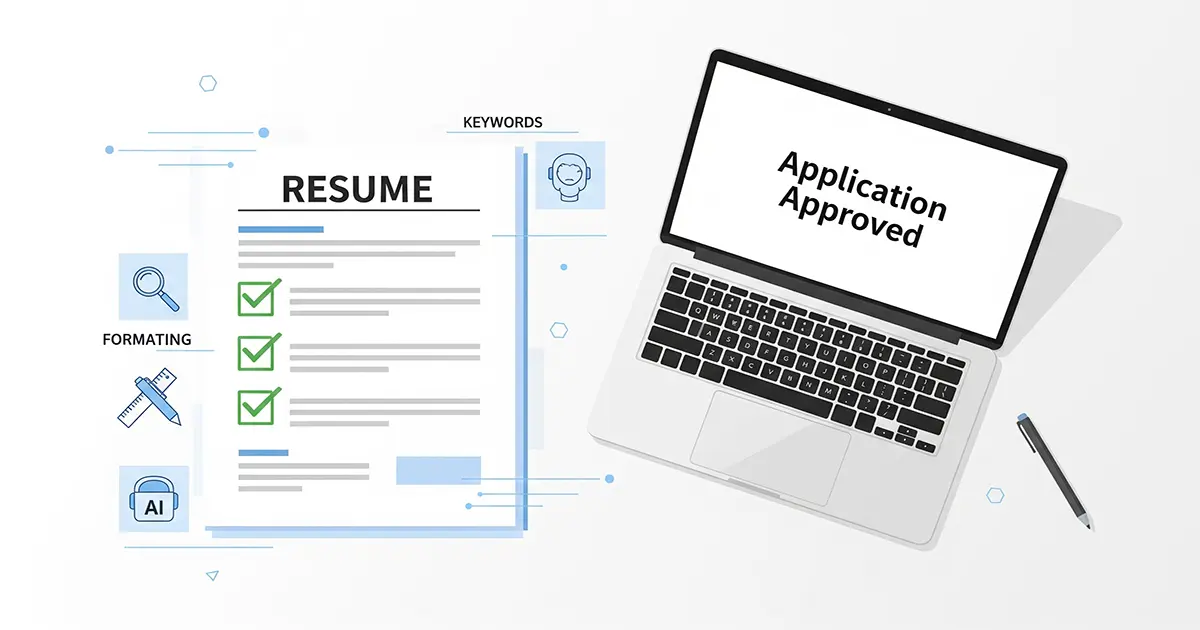
If your resume isn't getting past the initial screening, the problem likely isn't your qualifications, but how your resume communicates them to an Applicant Tracking System (ATS). Understanding how do I optimize my resume for ATS is critical because these systems act as the first gatekeepers, filtering out up to 75% of applications before a human recruiter ever sees them. By strategically optimizing your resume for these automated systems, you significantly increase your chances of landing an interview and moving forward in the hiring process.
What is an Applicant Tracking System (ATS) and How Does It Work?
An Applicant Tracking System (ATS) is software used by companies to manage recruitment processes. It scans, filters, and ranks resumes based on keywords, formatting, and other criteria specified by the job description, helping recruiters efficiently identify suitable candidates from a large applicant pool.

These systems are designed to streamline the hiring workflow, especially for companies receiving hundreds or thousands of applications for a single role. The ATS parses your resume, extracting information into a standardized format that is then searchable and rankable by recruiters.
Most Fortune 500 companies, approximately 98%, rely on ATS to filter candidates based on predefined criteria, such as specific skills, years of experience, or educational qualifications. This efficiency allows hiring managers to focus on a smaller, more qualified pool of applicants.
While some basic ATS primarily look for exact keyword matches, more advanced, AI-powered ATS can analyze context, synonyms, and even understand the implied meaning behind certain phrases. This evolution means your optimization strategy needs to be sophisticated, not just a simple keyword dump.
Identifying Keywords: The Key to ATS Success
Identifying the right keywords for ATS success involves thoroughly analyzing the job description, looking for specific skills, qualifications, and industry jargon. These keywords act as signals to the ATS that your resume aligns with the role's requirements, increasing your chances of being seen by a human recruiter.

Your first step in resume keyword optimization is to meticulously review the job description. Highlight every skill, tool, certification, and responsibility mentioned, paying close attention to both hard skills (e.g., "Python," "SQL," "Salesforce") and soft skills (e.g., "project management," "client communication," "problem-solving").
Consider variations and synonyms for these keywords. For example, if the job description mentions "customer relationship management," you might also include "CRM" if it's a common abbreviation in your industry. The ATS is looking for these terms to determine relevance.
It's important to use both the exact phrases from the job description and natural language that integrates these terms seamlessly into your experience. Avoid simply listing keywords; embed them within your achievement-oriented bullet points to show how you've applied them.
📋 Checklist: Keyword Identification Strategy
Read the job description multiple times, highlighting all key skills, responsibilities, and qualifications.
Create a master list of these keywords, categorizing them by hard skills, soft skills, tools, and certifications.
Research common synonyms and related terms for each keyword, especially for technical jargon.
Prioritize keywords that appear repeatedly or are explicitly listed as "required" or "must-have."
Use online tools or AI-powered resume checkers to identify keywords you might have missed or to analyze the job description's language.
Tools for Keyword Extraction
You don't have to do all the keyword extraction manually. Several online tools can help you compare your resume against a job description, highlighting missing keywords or suggesting improvements. These tools provide an ATS resume checker function, giving you an immediate score and actionable feedback.
While AI-assisted tools can quickly identify potential keywords, always review their suggestions critically. Your human judgment is essential to ensure the keywords fit naturally and accurately represent your experience.
ATS-Friendly Resume Formatting and Design
ATS-friendly resume formatting prioritizes simplicity and readability for machines. This means using standard fonts, clear headings, bullet points, and avoiding complex graphics, tables, or text boxes that can confuse ATS. The goal is to ensure the system can easily parse and extract your information accurately.
The best ATS friendly resume format is clean and uncluttered. Stick to a chronological or hybrid format, which are generally well-understood by ATS. Recruiters also prefer these formats as they clearly outline your career progression.
For optimal ATS parsing, choose common, professional fonts like Arial, Calibri, Helvetica, or Times New Roman. Use a readable font size, typically 10-12 points for body text and 14-16 points for headings. Maintain consistent margins, usually 0.5 to 1 inch on all sides.
Always use standard headings for your sections, such as "Experience," "Education," "Skills," "Summary," and "Contact Information." Avoid creative or unique headings like "My Journey" or "What I Bring to the Table," as the ATS might not recognize them, leading to important information being overlooked.
⚠️ Warning: Elements to Avoid in ATS Resumes
Graphics, images (including profile photos), complex tables, text boxes, and information placed in headers or footers are notorious for causing parsing errors in ATS. These elements can render your resume unreadable to the system, causing it to discard crucial details or even the entire application.
Save your resume as a .docx file unless the job application specifically requests a PDF. While many modern ATS can handle PDFs, some older systems struggle, especially if the PDF is image-based or uses non-standard fonts. A .docx file ensures maximum compatibility and accurate parsing.
Feature | ATS-Friendly Practice |
|---|
Leveraging AI for ATS Optimization (and Avoiding Pitfalls)
AI can significantly assist in ATS optimization by identifying relevant keywords, suggesting phrasing improvements, and even generating tailored content. However, it's crucial to use AI as a tool for enhancement rather than full automation, ensuring the final output is authentic, personalized, and thoroughly reviewed to avoid generic or inaccurate information.
AI for resume writing has evolved rapidly, offering powerful capabilities to job seekers. Tools can analyze a job description, compare it to your resume, and highlight gaps in keyword coverage. They can suggest alternative phrasings for your bullet points to better align with the job's requirements, making your resume keyword-rich and highly relevant to the ATS.
Many job seekers find success using an AI resume builder to ensure their documents are formatted correctly and include essential sections. For a streamlined approach, consider Placed's AI Resume Builder, which guides you through creating an ATS-friendly resume from scratch.
While AI resume optimization tools are powerful, they are not a replacement for human judgment. Ethical considerations dictate that while AI can draft, outline, or suggest content, the final resume must be a true reflection of your skills and experiences. Simply copy-pasting AI-generated text can lead to generic, uninspired applications that lack your personal brand.
💡 Tip: Using AI Responsibly
Use AI to brainstorm content ideas and identify core keywords.
Leverage AI tools for grammar and spelling checks, but also review for tone and accuracy.
Ask AI to provide alternative ways to phrase your achievements, then select the best fit for your voice.
Always personalize the output. Add specific details, quantifiable results, and your unique perspective that AI cannot perfectly replicate.
Remember that AI is a tool to enhance, not replace, your effort and authenticity.
AI Strengths and Weaknesses for Resume Optimization
AI Strengths (Pros) | AI Weaknesses (Cons) |
|---|---|
How to Avoid ATS Auto-Rejection: Common Mistakes to Sidestep
To avoid ATS auto-rejection, job seekers must sidestep common mistakes like using incompatible file formats, failing to include essential keywords, applying with a generic resume, or having significant formatting errors. Tailoring each application and meticulously proofreading are critical steps to ensure your resume passes the initial digital screening.
One of the biggest mistakes is submitting a generic resume that isn't tailored to the specific job description. The ATS is looking for alignment with the job posting, and a one-size-fits-all resume will rarely achieve a high match score, leading to automatic filtering.
Using unsupported file formats, such as highly graphical PDFs or image-based files, can prevent the ATS from parsing your information correctly. Always use .docx unless explicitly instructed otherwise, as it's the most ATS compliant resume format.
Keyword stuffing—overloading your resume with keywords in an unnatural way—is another pitfall. While you need keywords, the ATS and subsequent human reviewers will flag content that reads unnaturally or seems designed to game the system. Integrate keywords organically.
Missing critical information, like contact details or essential skills explicitly mentioned as requirements, will also lead to auto-rejection. Similarly, using non-standard section titles can confuse the system, preventing it from categorizing your experience correctly.
Applying for roles where you clearly lack basic qualifications is unproductive. Many ATS have "knockout questions" that immediately disqualify candidates who don't meet minimum requirements. Save your time and focus on roles where you genuinely fit the core criteria.
Finally, the importance of proofreading cannot be overstated. Typos, grammatical errors, and inconsistencies signal a lack of attention to detail. Even if an ATS doesn't reject you for these, a human recruiter will, often within seconds of scanning your document.
🎯 Key Takeaway: Recruiters spend an average of 6-7 seconds scanning a resume during the first pass. Make every word count and ensure readability.
Before you submit, use a tool like Placed's AI Resume Review. This tool can quickly scan your document for common ATS pitfalls, ensuring your resume is optimized and ready for submission.
📋 Checklist: Avoiding ATS Auto-Rejection
✅ Tailor your resume: Customize for each job, using keywords from the job description.
✅ Use correct file type: Stick to .docx unless PDF is explicitly requested and you're confident it's text-based.
✅ Natural keyword integration: Embed keywords organically, avoid stuffing.
✅ Standard formatting: Simple layouts, common fonts, clear headings.
✅ Proofread meticulously: Eliminate all typos and grammatical errors.
✅ Match qualifications: Only apply for roles where you meet the basic requirements.
Beyond the Resume: Holistic Strategies for ATS Success
True ATS success extends beyond just the resume to include a robust online presence. A strong, keyword-rich LinkedIn profile acts as a digital resume often reviewed by recruiters first. Consistent messaging across all application materials, coupled with a personalized approach, significantly boosts visibility and impact.
Your LinkedIn profile is often the next stop for recruiters after reviewing your resume, and sometimes even before. Ensure your LinkedIn profile is fully updated, optimized with relevant keywords, and consistent with the information on your resume. Treat it as an extension of your resume, showcasing recommendations, endorsements, and a more detailed professional narrative.
Consistency across all your application materials—resume, cover letter, and LinkedIn profile—is paramount. Discrepancies can raise red flags for both ATS and human recruiters. Ensure dates, job titles, and key achievements align across all platforms to present a cohesive professional brand.
Remember, your cover letter also plays a vital role in your application. Ensure it complements your resume by using consistent keywords and a professional tone. You can use Placed's Cover Letter Builder to create an ATS-friendly cover letter that makes a strong impression.
Even with the best ATS optimization, the ultimate goal is to get an interview. Briefly prepare for this next step by understanding common interview questions and practicing your responses. Many AI interview practice free tools are available to help you refine your answers and body language.
Think of your job search as a mini-campaign. Every touchpoint, from your resume to your LinkedIn profile to your interview responses, should be strategically aligned to present the best version of your professional self. This holistic approach ensures you're not just beating the ATS, but making a compelling case to human decision-makers.
To solidify your professional brand and enhance your job search, you should also optimize your LinkedIn profile. A strong LinkedIn presence reinforces your resume and acts as an additional touchpoint for recruiters. Learn how to optimize your LinkedIn profile for maximum impact.
Mastering how to optimize your resume for ATS is a critical skill in today's job market. By implementing these strategies—meticulous keyword identification, clean formatting, and responsible AI usage—you can significantly increase your resume's chances of passing the initial screening. Start by refining your resume with Placed's AI Resume Builder, then use the AI Resume Review to ensure it's fully optimized before applying. Your next great opportunity is waiting.
🎯 Key Takeaways
ATS compliance is crucial; approximately 75% of job applications are filtered out by ATS before human review.
Thoroughly analyze job descriptions for keywords and integrate them naturally into your resume.
Use simple, standard formatting and avoid complex graphics to ensure ATS can parse your resume accurately.
Leverage AI tools for keyword identification and tailoring, but always review and personalize the output.
Avoid common mistakes like generic resumes, unsupported file types, and keyword stuffing to prevent auto-rejection.
Maintain consistency across your resume, cover letter, and LinkedIn profile for a holistic job search strategy.
Frequently Asked Questions
What is an Applicant Tracking System (ATS)?
An Applicant Tracking System (ATS) is software used by companies to manage recruitment processes. It scans, filters, and ranks resumes based on keywords, formatting, and other criteria specified by the job description, helping recruiters efficiently identify suitable candidates from a large applicant pool. These systems automate the initial screening, saving recruiters significant time by eliminating unqualified applicants early in the process. Most Fortune 500 companies, around 98%, rely on ATS to streamline their hiring. This means your resume's first audience is often a machine, not a human being.
How do I find keywords for my resume to pass ATS?
To find keywords for your resume to pass ATS, meticulously analyze the job description. Look for specific skills (hard and soft), tools, certifications, and industry jargon listed as requirements or preferred qualifications. Highlight these terms, including any variations or synonyms. You can also use AI-powered resume optimization tools to help extract and suggest relevant keywords, ensuring you don't miss crucial terms that the ATS will be scanning for. The goal is to mirror the language used by the employer in the job posting.
What is the best resume format for ATS?
The best resume format for ATS is simple, clean, and uses standard sections. Opt for a chronological or hybrid format with clear headings like "Experience," "Education," and "Skills." Use common fonts like Arial, Calibri, or Times New Roman in a readable size (10-12pt for body, 14-16pt for headings). Avoid complex graphics, images, tables, text boxes, or information in headers/footers, as these elements can confuse older ATS systems and lead to parsing errors. Save your resume as a .docx file unless explicitly asked for a PDF, as .docx generally offers better compatibility across different ATS platforms.
Can AI help me optimize my resume for ATS?
Yes, AI can significantly help optimize your resume for ATS. AI resume optimization tools can identify relevant keywords from job descriptions, suggest improvements to your phrasing, and even generate tailored content sections. They can also check your resume for ATS compatibility, flagging formatting issues or missing keywords. However, it's crucial to use AI as an assistant, not a replacement for your own critical review. Always personalize the AI-generated content and ensure it accurately reflects your experience and voice to avoid sounding generic or robotic.
How can I avoid my resume being auto-rejected by ATS?
To avoid your resume being auto-rejected by ATS, always tailor your resume to each specific job description, ensuring it contains relevant keywords. Use an ATS-friendly resume format with standard headings and avoid complex graphics or non-standard fonts. Double-check that you're using a compatible file format, typically .docx, unless a PDF is specifically requested. Finally, meticulously proofread your resume for any grammatical errors or typos, as these can also signal a lack of attention to detail and lead to rejection.
Are there specific ATS-friendly resume templates I should use?
Yes, there are specific ATS-friendly resume templates that prioritize clarity and simple formatting. These templates typically feature clean layouts, standard section headings (e.g., "Work Experience," "Education," "Skills"), and avoid intricate designs, graphics, or multiple columns that can confuse ATS. Many online resume builders, including Placed's AI Resume Builder, offer templates specifically designed for ATS compatibility, ensuring your information is parsed correctly and keywords are easily recognized. Using these templates minimizes the risk of your resume being misread by the system.
What are common resume mistakes to avoid for ATS?
Common resume mistakes to avoid for ATS include using unsupported file types (like highly graphical PDFs), failing to tailor your resume to the job description, and keyword stuffing. Other errors include employing complex formatting such as tables, text boxes, or images for critical information, which ATS often cannot read. Missing essential contact details, using non-standard section titles, or having significant grammatical errors and typos can also lead to an ATS rejecting your application or a recruiter overlooking it during a quick scan.
How do I tailor my resume to a job description for ATS?
To tailor your resume to a job description for ATS, begin by thoroughly reading the job posting and highlighting all key skills, responsibilities, and qualifications. Integrate these keywords naturally into your resume's experience, skills, and summary sections. Rephrase your bullet points to align with the language used in the job description, focusing on quantifiable achievements that demonstrate how you meet their specific requirements. This targeted approach ensures the ATS recognizes your resume as a strong match, increasing its ranking and visibility to recruiters.
What are the benefits of using an AI resume builder for ATS?
The benefits of using an AI resume builder for ATS include automated keyword identification, ensuring your resume contains terms crucial for passing initial screenings. These tools often provide ATS-friendly templates, preventing formatting issues that can cause parsing errors. They can also suggest optimized phrasing for your experience and skills, helping you craft a more compelling and compliant document. This can save significant time and increase your chances of getting past the automated gatekeepers, allowing you to focus on refining the content rather than worrying about technical compatibility.
Should I use AI to write my cover letter for ATS?
You can use an AI cover letter generator to assist in drafting your cover letter, especially for ATS compliance. AI can help incorporate relevant keywords from the job description and structure the letter in a clear, readable format. However, it is critical to personalize and heavily edit any AI-generated content. An AI-generated cover letter from a tool like Placed's Cover Letter Builder should serve as a strong starting point, allowing you to infuse your unique voice, specific anecdotes, and genuine enthusiasm for the role and company. Recruiters can often spot generic AI text, and a personalized letter demonstrates true interest.
If your resume isn't getting past the initial screening, the problem likely isn't your qualifications, but how your resume communicates them to an Applicant Tracking System (ATS). Understanding how do I optimize my resume for ATS is critical because these systems act as the first gatekeepers, filtering out up to 75% of applications before a human recruiter ever sees them. By strategically optimizing your resume for these automated systems, you significantly increase your chances of landing an interview and moving forward in the hiring process.
What is an Applicant Tracking System (ATS) and How Does It Work?
An Applicant Tracking System (ATS) is software used by companies to manage recruitment processes. It scans, filters, and ranks resumes based on keywords, formatting, and other criteria specified by the job description, helping recruiters efficiently identify suitable candidates from a large applicant pool.
These systems are designed to streamline the hiring workflow, especially for companies receiving hundreds or thousands of applications for a single role. The ATS parses your resume, extracting information into a standardized format that is then searchable and rankable by recruiters.
Most Fortune 500 companies, approximately 98%, rely on ATS to filter candidates based on predefined criteria, such as specific skills, years of experience, or educational qualifications. This efficiency allows hiring managers to focus on a smaller, more qualified pool of applicants.
While some basic ATS primarily look for exact keyword matches, more advanced, AI-powered ATS can analyze context, synonyms, and even understand the implied meaning behind certain phrases. This evolution means your optimization strategy needs to be sophisticated, not just a simple keyword dump.
Identifying Keywords: The Key to ATS Success
Identifying the right keywords for ATS success involves thoroughly analyzing the job description, looking for specific skills, qualifications, and industry jargon. These keywords act as signals to the ATS that your resume aligns with the role's requirements, increasing your chances of being seen by a human recruiter.
Your first step in resume keyword optimization is to meticulously review the job description. Highlight every skill, tool, certification, and responsibility mentioned, paying close attention to both hard skills (e.g., "Python," "SQL," "Salesforce") and soft skills (e.g., "project management," "client communication," "problem-solving").
Consider variations and synonyms for these keywords. For example, if the job description mentions "customer relationship management," you might also include "CRM" if it's a common abbreviation in your industry. The ATS is looking for these terms to determine relevance.
It's important to use both the exact phrases from the job description and natural language that integrates these terms seamlessly into your experience. Avoid simply listing keywords; embed them within your achievement-oriented bullet points to show how you've applied them.
📋 Checklist: Keyword Identification Strategy
Read the job description multiple times, highlighting all key skills, responsibilities, and qualifications.
Create a master list of these keywords, categorizing them by hard skills, soft skills, tools, and certifications.
Research common synonyms and related terms for each keyword, especially for technical jargon.
Prioritize keywords that appear repeatedly or are explicitly listed as "required" or "must-have."
Use online tools or AI-powered resume checkers to identify keywords you might have missed or to analyze the job description's language.
Integrate keywords naturally into your resume sections, particularly your summary/objective, experience bullet points, and skills section.
Ensure your resume keyword analysis is thorough but avoids simple repetition; demonstrate application.
Tools for Keyword Extraction
You don't have to do all the keyword extraction manually. Several online tools can help you compare your resume against a job description, highlighting missing keywords or suggesting improvements. These tools provide an ATS resume checker function, giving you an immediate score and actionable feedback.
While AI-assisted tools can quickly identify potential keywords, always review their suggestions critically. Your human judgment is essential to ensure the keywords fit naturally and accurately represent your experience.
ATS-Friendly Resume Formatting and Design
ATS-friendly resume formatting prioritizes simplicity and readability for machines. This means using standard fonts, clear headings, bullet points, and avoiding complex graphics, tables, or text boxes that can confuse ATS. The goal is to ensure the system can easily parse and extract your information accurately.
The best ATS friendly resume format is clean and uncluttered. Stick to a chronological or hybrid format, which are generally well-understood by ATS. Recruiters also prefer these formats as they clearly outline your career progression.
For optimal ATS parsing, choose common, professional fonts like Arial, Calibri, Helvetica, or Times New Roman. Use a readable font size, typically 10-12 points for body text and 14-16 points for headings. Maintain consistent margins, usually 0.5 to 1 inch on all sides.
Always use standard headings for your sections, such as "Experience," "Education," "Skills," "Summary," and "Contact Information." Avoid creative or unique headings like "My Journey" or "What I Bring to the Table," as the ATS might not recognize them, leading to important information being overlooked.
⚠️ Warning: Elements to Avoid in ATS Resumes
Graphics, images (including profile photos), complex tables, text boxes, and information placed in headers or footers are notorious for causing parsing errors in ATS. These elements can render your resume unreadable to the system, causing it to discard crucial details or even the entire application.
Save your resume as a .docx file unless the job application specifically requests a PDF. While many modern ATS can handle PDFs, some older systems struggle, especially if the PDF is image-based or uses non-standard fonts. A .docx file ensures maximum compatibility and accurate parsing.
Feature
ATS-Friendly Practice
ATS-Unfriendly Practice
File Type
.docx (unless PDF specified)
.pdf (image-based), .jpg, .pages
Formatting
Simple, clean layout; standard bullet points
Multiple columns, text boxes, complex tables, intricate designs
Headings
Standard: Experience, Education, Skills, Summary
Creative/Unique: My Journey, My Expertise, What I Offer
Keywords
Integrated naturally, from job description
Keyword stuffing, hidden text, irrelevant terms
Graphics
None, or minimal simple lines for separation
Logos, photos, intricate charts, skill rating bars
Leveraging AI for ATS Optimization (and Avoiding Pitfalls)
AI can significantly assist in ATS optimization by identifying relevant keywords, suggesting phrasing improvements, and even generating tailored content. However, it's crucial to use AI as a tool for enhancement rather than full automation, ensuring the final output is authentic, personalized, and thoroughly reviewed to avoid generic or inaccurate information.
AI for resume writing has evolved rapidly, offering powerful capabilities to job seekers. Tools can analyze a job description, compare it to your resume, and highlight gaps in keyword coverage. They can suggest alternative phrasings for your bullet points to better align with the job's requirements, making your resume keyword-rich and highly relevant to the ATS.
Many job seekers find success using an AI resume builder to ensure their documents are formatted correctly and include essential sections. For a streamlined approach, consider Placed's AI Resume Builder, which guides you through creating an ATS-friendly resume from scratch.
While AI resume optimization tools are powerful, they are not a replacement for human judgment. Ethical considerations dictate that while AI can draft, outline, or suggest content, the final resume must be a true reflection of your skills and experiences. Simply copy-pasting AI-generated text can lead to generic, uninspired applications that lack your personal brand.
💡 Tip: Using AI Responsibly
Use AI to brainstorm content ideas and identify core keywords.
Leverage AI tools for grammar and spelling checks, but also review for tone and accuracy.
Ask AI to provide alternative ways to phrase your achievements, then select the best fit for your voice.
Always personalize the output. Add specific details, quantifiable results, and your unique perspective that AI cannot perfectly replicate.
Remember that AI is a tool to enhance, not replace, your effort and authenticity.
AI Strengths and Weaknesses for Resume Optimization
AI Strengths (Pros)
AI Weaknesses (Cons)
Rapid keyword identification and matching.
Can generate generic or unoriginal content if not guided.
Suggests ATS-friendly formatting and structure.
May miss nuanced personal achievements or unique selling points.
Helps tailor content for specific job descriptions quickly.
Risk of inaccurate information if AI pulls from unreliable sources or misinterprets prompts.
Identifies grammatical errors and improves clarity.
Requires careful human review to ensure authenticity and avoid sounding robotic.
Reduces time spent on initial drafts and basic optimization.
Over-reliance can lead to a loss of your personal voice and brand.
How to Avoid ATS Auto-Rejection: Common Mistakes to Sidestep
To avoid ATS auto-rejection, job seekers must sidestep common mistakes like using incompatible file formats, failing to include essential keywords, applying with a generic resume, or having significant formatting errors. Tailoring each application and meticulously proofreading are critical steps to ensure your resume passes the initial digital screening.
One of the biggest mistakes is submitting a generic resume that isn't tailored to the specific job description. The ATS is looking for alignment with the job posting, and a one-size-fits-all resume will rarely achieve a high match score, leading to automatic filtering.
Using unsupported file formats, such as highly graphical PDFs or image-based files, can prevent the ATS from parsing your information correctly. Always use .docx unless explicitly instructed otherwise, as it's the most ATS compliant resume format.
Keyword stuffing—overloading your resume with keywords in an unnatural way—is another pitfall. While you need keywords, the ATS and subsequent human reviewers will flag content that reads unnaturally or seems designed to game the system. Integrate keywords organically.
Missing critical information, like contact details or essential skills explicitly mentioned as requirements, will also lead to auto-rejection. Similarly, using non-standard section titles can confuse the system, preventing it from categorizing your experience correctly.
Applying for roles where you clearly lack basic qualifications is unproductive. Many ATS have "knockout questions" that immediately disqualify candidates who don't meet minimum requirements. Save your time and focus on roles where you genuinely fit the core criteria.
Finally, the importance of proofreading cannot be overstated. Typos, grammatical errors, and inconsistencies signal a lack of attention to detail. Even if an ATS doesn't reject you for these, a human recruiter will, often within seconds of scanning your document.
🎯 Key Takeaway: Recruiters spend an average of 6-7 seconds scanning a resume during the first pass. Make every word count and ensure readability.
Before you submit, use a tool like Placed's AI Resume Review. This tool can quickly scan your document for common ATS pitfalls, ensuring your resume is optimized and ready for submission.
📋 Checklist: Avoiding ATS Auto-Rejection
✅ Tailor your resume: Customize for each job, using keywords from the job description.
✅ Use correct file type: Stick to .docx unless PDF is explicitly requested and you're confident it's text-based.
✅ Natural keyword integration: Embed keywords organically, avoid stuffing.
✅ Standard formatting: Simple layouts, common fonts, clear headings.
✅ Proofread meticulously: Eliminate all typos and grammatical errors.
✅ Match qualifications: Only apply for roles where you meet the basic requirements.
✅ Check for parsing errors: Use an ATS resume checker free tool to simulate how an ATS reads your resume.
Beyond the Resume: Holistic Strategies for ATS Success
True ATS success extends beyond just the resume to include a robust online presence. A strong, keyword-rich LinkedIn profile acts as a digital resume often reviewed by recruiters first. Consistent messaging across all application materials, coupled with a personalized approach, significantly boosts visibility and impact.
Your LinkedIn profile is often the next stop for recruiters after reviewing your resume, and sometimes even before. Ensure your LinkedIn profile is fully updated, optimized with relevant keywords, and consistent with the information on your resume. Treat it as an extension of your resume, showcasing recommendations, endorsements, and a more detailed professional narrative.
Consistency across all your application materials—resume, cover letter, and LinkedIn profile—is paramount. Discrepancies can raise red flags for both ATS and human recruiters. Ensure dates, job titles, and key achievements align across all platforms to present a cohesive professional brand.
Remember, your cover letter also plays a vital role in your application. Ensure it complements your resume by using consistent keywords and a professional tone. You can use Placed's Cover Letter Builder to create an ATS-friendly cover letter that makes a strong impression.
Even with the best ATS optimization, the ultimate goal is to get an interview. Briefly prepare for this next step by understanding common interview questions and practicing your responses. Many AI interview practice free tools are available to help you refine your answers and body language.
Think of your job search as a mini-campaign. Every touchpoint, from your resume to your LinkedIn profile to your interview responses, should be strategically aligned to present the best version of your professional self. This holistic approach ensures you're not just beating the ATS, but making a compelling case to human decision-makers.
To solidify your professional brand and enhance your job search, you should also optimize your LinkedIn profile. A strong LinkedIn presence reinforces your resume and acts as an additional touchpoint for recruiters. Learn how to optimize your LinkedIn profile for maximum impact.
Mastering how to optimize your resume for ATS is a critical skill in today's job market. By implementing these strategies—meticulous keyword identification, clean formatting, and responsible AI usage—you can significantly increase your resume's chances of passing the initial screening. Start by refining your resume with Placed's AI Resume Builder, then use the AI Resume Review to ensure it's fully optimized before applying. Your next great opportunity is waiting.